CARS24 lets people purchase used car online. New buyers landed on the CARS24 mobile homepage with no way to start looking for a car. Using listing page filter data, I brought the most-used filters onto the homepage as two car discovery levers: search and need-based car categories.
Impact at a glance
Homepage adoption rate*
17% → 30%
(+76% relative lift)
Adoption rate = % of mobile homepage sessions where the user tapped at least one element on the page.
Problem Statement
Most CARS24 traffic came from mobile web, so for most new buyers the homepage was their first impression. Three numbers showed it wasn't working:
17% of homepage visitors tapped anything on it
53% of customers arrive with no specific car in mind (CARS24 customer research survey)
5.03% of users who searched went on to start a booking. But search existed only deeper in the site, not on the homepage.
What the homepage was missing:

Search. New buyers couldn't use it from the first screen.
A way to browse by need. Finding a family car or a car within budget meant going to the listing page and working out the filters alone. The existing "Cars by lifestyle" section had low adoption [add number].
Reasons to trust us. First-time visitors had little to reassure them that buying a used car online was safe.
More than half of our buyers need help working out what to buy, but the homepage only served people who already knew. 83% of visitors didn't tap anything, and search, one of our strongest paths to a booking, was hidden further down the funnel.
What we learned


The Approach and 3 Design Decisions
Bring what customers already do deep in the site (search and filters) to the homepage, and give first-time buyers a reason to trust us.
The page follows the questions a new buyer asks as they scroll:
Buyer's question
Design decision
Top
"Can I find the car I want?"
1. Search + make shortcuts
Middle
"What suits me, and how does buying work?"
2. Car categories + How it works
Bottom
"Why buy from CARS24?"
3. Trust: USPs + reviews

Decision 1: Search with popular make shortcuts
A search bar at the top of the homepage, with one-tap tabs for Toyota, Hyundai and Volkswagen, the three best-selling makes. The tabs remove typing on mobile and lead to the makes with the most stock.
Result: 21% search adoption.
Decision 2: Car categories built from real data
Each category followed one method: data signal → most common values → enough stock → everyday name.
Example: Budget Friendly. Most buyers capped their budget at $20k, but only 91 cars were under $20k, compared with 279 under $25k. So the category became "under $25,000", matching demand while keeping enough cars to browse.
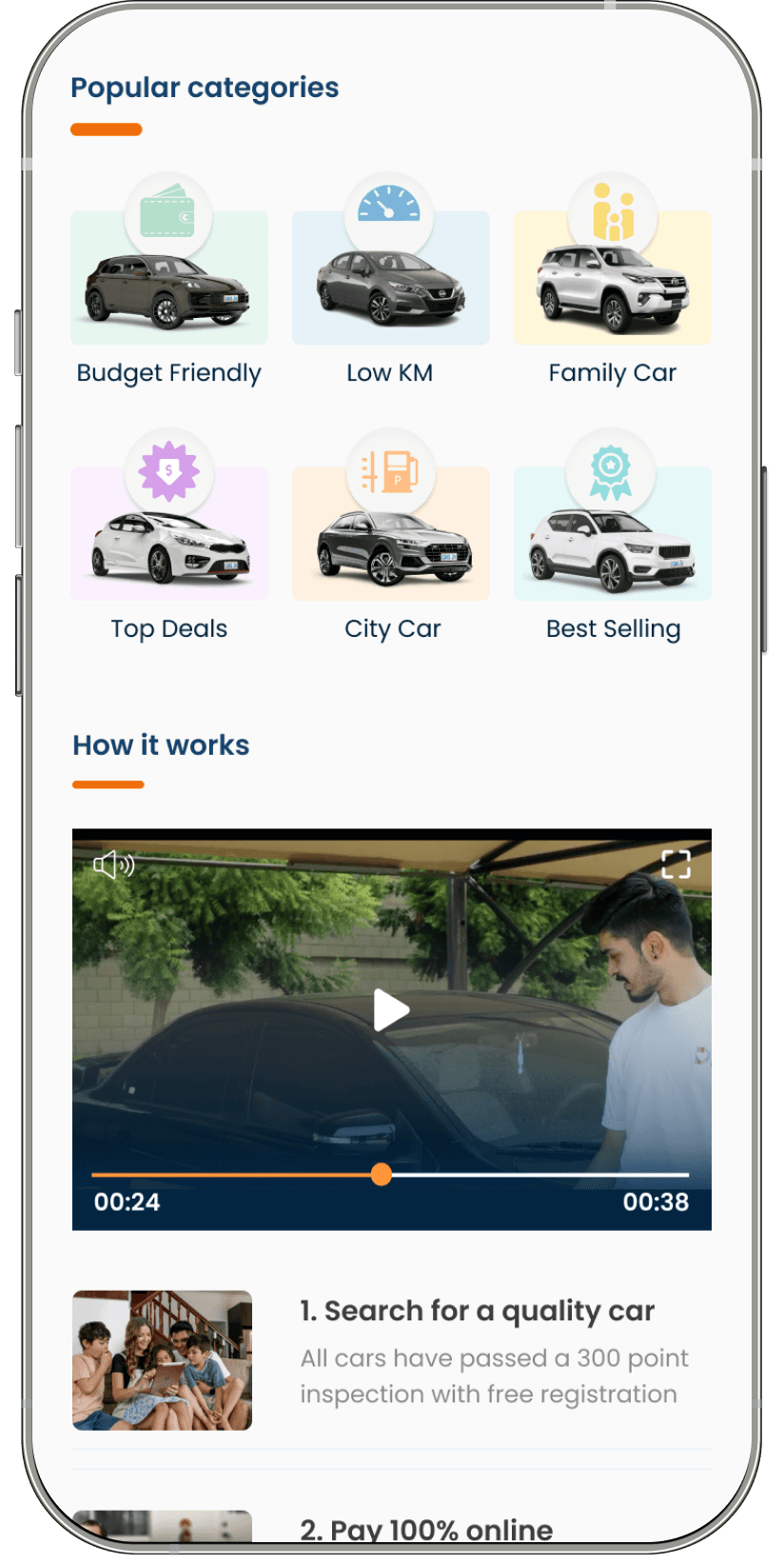
Category
Based on
Budget Friendly
Price filter; under $25k
Low KM
KMs filter; under 40,000 km
Family Car
Top body type (SUV) + demand for legroom
Top Deals
Priced $1000 below market price
City Car
Top sellers: automatic, petrol, smaller body types
Best Selling
Best-selling and most-searched models (Corolla, Golf, Cerato, RAV4, i30, Hilux)
Below the categories, a "How it works" section explains how to buy a car with CARS24 through a short video and step-by-step pointers, so first-time buyers know what to expect.
Result: Budget Friendly 34.6% and Family Car 20.7% adoption.


Decision 3: Building trust for first-time buyers
"Used Cars by Category" adds Body Type, Fuel Type and Transmission tabs for buyers who think in car types. Below it, "The smarter way to buy a used car" highlights CARS24's promises (300-point inspection, full refurbishment, roadworthy certificates), followed by real customer reviews.
Explorations
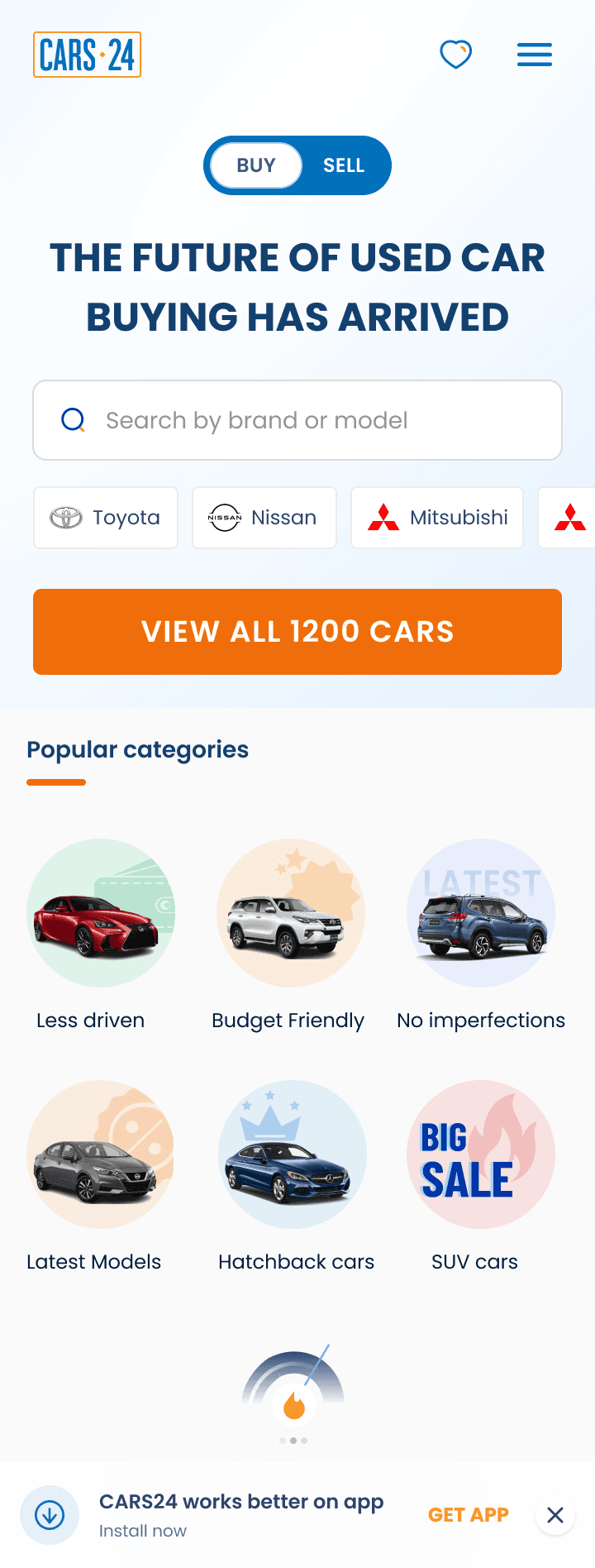
Search: Tried in the hero banner, over an image and in a clean header. The clean header won because search is visible straight away.
Car categories: Tried circle tiles, tagged tiles, cards, filter chips and a list. A 6-tile icon grid won because buyers can scan every option at once.
Naming: We picked the shortest, most everyday names, e.g. "Top Deals" over "Below market price", "Low KM" over "Less Driven", and "Best Selling" over "Top Sold".



Final Design & learnings

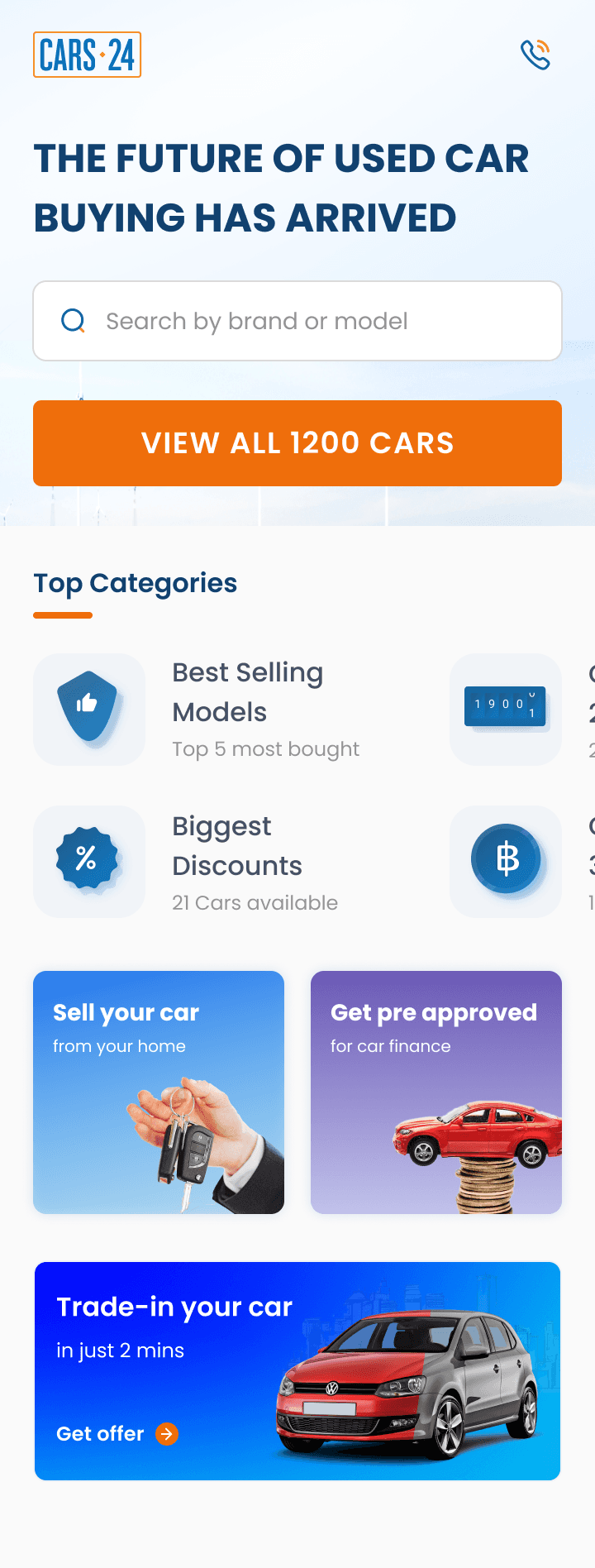
The new homepage guides a first-time buyer from top to bottom. Search and make shortcuts come first, then six need-based categories and a "How it works" guide, followed by browse-by-type tabs, CARS24's promises and real customer reviews. Every section takes buyers to relevant cars in one tap, or gives them a reason to trust CARS24.
Customer behaviour made the best brief. Search, filter and sales data told us more than opinions did. Good categories balance what buyers want with what's in stock, and testing in another CARS24 market first reduced the risk before we built.